
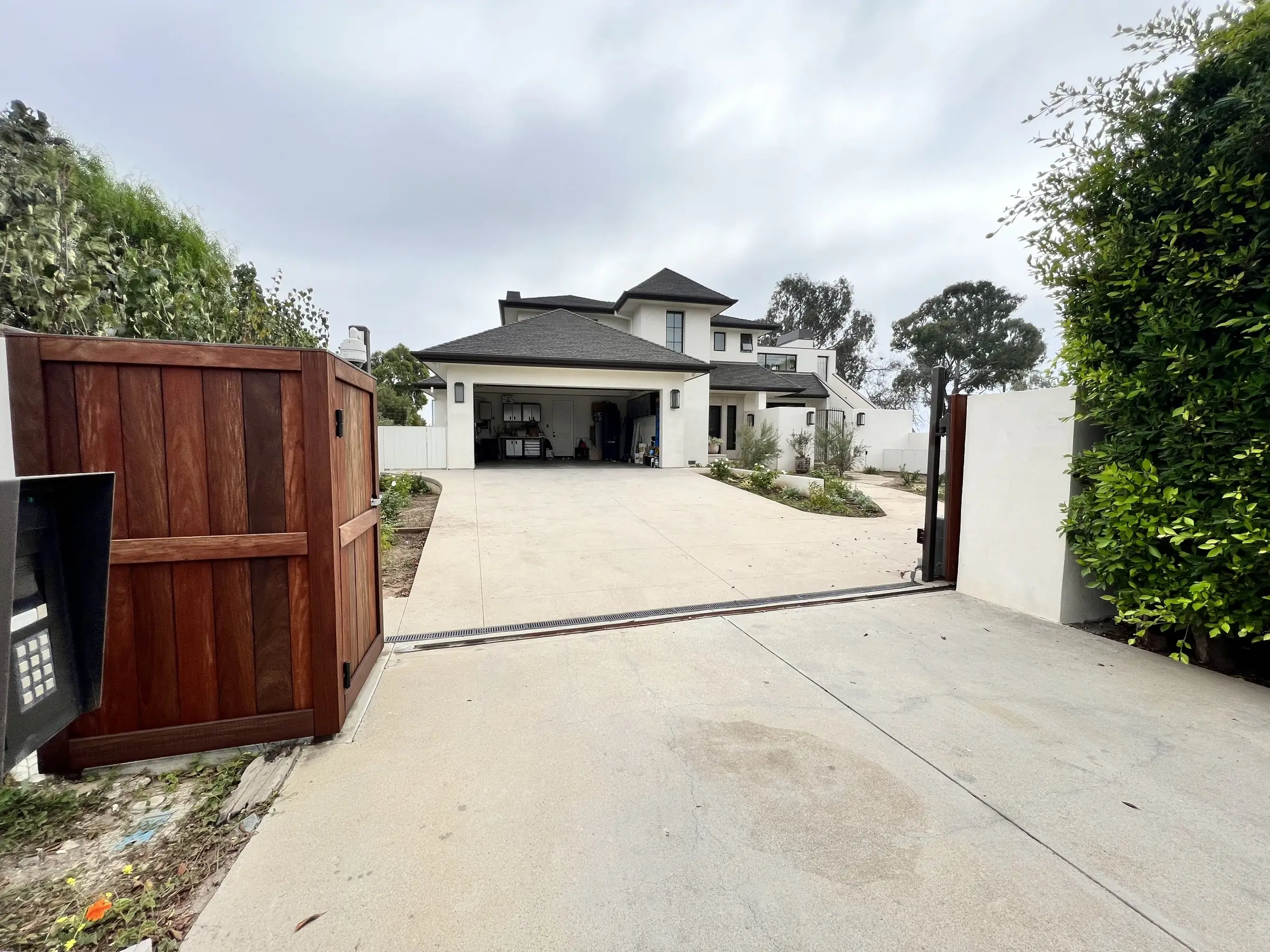
Gate Intercoms, Smart Locks & Video Doorbells in Orange County
See who's at the gate or the front door from anywhere, let them in from your phone, and give family, staff, and guests their own codes that you control.
Access control is how people get onto your property and into your home: the gate, the front door, and every door you'd rather not hand out keys to. This guide explains how a professional system works, why so many gate and doorbell setups disappoint, and the realistic paths to getting it right.
Available options
- Video intercom stations at the gate and front door
- Calls that ring your phone, touch panels, and indoor stations
- Gate operator integration so you can open the gate from the intercom or the app
- Smart locks with a personal code for every person
- Schedules for housekeepers, gardeners, and contractors
- Entry history showing who came in and when
- Ties into your cameras, lighting, and the rest of the house
1. The foundation
A professional access system has a few core parts. Each one has a job, and together they let you control who gets in without handing out keys.
- The gate station. A weatherproof station with a camera, a call button, and a keypad, mounted at the right height for drivers and for people on foot.
- The front door station. A video doorbell or door intercom that shows a clear picture of whoever is at the door, day or night.
- Answering from anywhere. Calls ring your phone, the touch panels in the house, and indoor intercom stations. You can see and talk to visitors whether you're in the kitchen or out of the country.
- Gate operator connection. The intercom and the app connect to your gate opener, so you can open the gate for a visitor and see whether it's open or closed.
- Smart locks. Locks that open with a code, your phone, or a key. They can lock themselves after a set time and tell you if a door was left unlocked.
- Codes and schedules. Every person gets their own code. The housekeeper's code works Tuesdays from 8 to 4. A contractor's code works for the length of the job. When someone shouldn't have access anymore, you delete their code. No rekeying.
- Entry history. A record of who came in, which door, and when.
- Wired and backed up. The gate and door stations are hardwired wherever possible, and the system has battery backup so it keeps working through short power outages.
It all works together. When the gate opens at night, the driveway lights come on and the camera shows on your TV. Press Good Night and every door locks.
2. Why gate and door systems disappoint
Store bought doorbells depend on Wi-Fi
Most video doorbells connect over Wi-Fi and run through the manufacturer's servers. They're slow to ring, the video lags, and by the time you answer the visitor is gone.
The gate is too far from the house
Wi-Fi rarely reaches the gate, and many older gate intercoms use outdated wiring that can't carry video. The result is a call button that works some of the time and no picture at all.
Everyone shares one code
The same gate code goes to the family, the housekeeper, the pool service, and every delivery driver, and it never changes. Former staff and contractors still know it.
A different app for everything
One app for the doorbell, another for the gate, another for the locks. None of them talk to each other, and none of them talk to the rest of the house.
Cameras that can't see faces
A station mounted too high, too low, or facing the sun shows the top of a hat or a silhouette. Placement matters as much as the equipment.
How a professional system fixes it
Wired stations at the gate and door, one app that handles visitors, gates, and locks together, a personal code for every person, and everything tied into your cameras and the rest of the house.
3. Three ways to control who gets in
There are three realistic paths. Which one fits depends on whether you have a gate, how far it is from the house, and whether construction is planned.
4. Getting the details right
- Wired beats wireless at the gate. A hardwired gate station rings faster, shows a clearer picture, and doesn't drop. On long driveways, we use cable rated for burial or fiber.
- Mount it where it sees faces. Stations need to be at the right height for drivers and people on foot, and placed so the sun isn't directly behind the visitor.
- Match the lock to the door. High end doors often use specific lock hardware. We check the door before choosing a lock, so it fits and looks right.
- Keep a backup way in. Smart locks run on batteries and warn you when they're low. Most also accept a physical key as a backup.
- Plan for deliveries. Delivery drivers can get a code that only opens the gate, only during the day.
5. What drives the cost
- Distance from the house to the gate. Longer runs and trenching add labor.
- Number of doors and locks. Every door adds hardware and installation.
- Station quality. Better cameras, night vision, and finishes cost more.
- Indoor stations and touch panels. How many places in the house you want to answer from.
- Integration. Tying access into cameras, lighting, and the rest of the house.
6. How to tell what you need
Questions to think through before a walkthrough
- Who comes and goes regularly: family, housekeepers, gardeners, pool service, deliveries?
- How many people know your gate code today, and when did it last change?
- Do you have a gate? How far is it from the house?
- Can you see and talk to visitors when you're away from home?
- Which doors do people actually use?
- Is a remodel or new build coming up?
How we do it
Every project starts with a walk of the property, from the street to the front door. We plan where stations and locks go, how wire gets to the gate, and who needs access and when. Then we install everything wired wherever possible, set up codes and schedules for your household, and tie it into the rest of the house.
One app for every way in
Gate, front door, and locks together, not three apps.
See every visitor clearly
Wired video stations placed to see faces, day and night.
A code for every person
Turn access on and off anytime, with no rekeying.
Schedules that run themselves
Staff and service codes only work when they should.
Part of the whole house
Lights, cameras, and locks work together.
Support after the install
Remote help when you need to add a person or change a schedule.
From first walkthrough to a system you actually use
High-ticket work goes wrong when nobody explains what happens next. Here is exactly how a project runs, start to finish.
- 01
Consultation
Whether you have an existing home or are building a new space, our unique line of questioning draws out your lifestyle and how you'll actually live in the space. From there, we establish how we can enhance your home and optimize the living experience.
- 02
Design & proposal
You get a designed system with a written proposal: what goes where, what it does, and what it looks like. Theaters include a 3D model, so you see the finished room before anything is built.
- 03
Installation
We work with your builder, electrician, and designer to ensure a smooth, cohesive execution. Cables are run neatly and properly, speakers are placed precisely in relation to lights and other fixtures, everything is straight and level, and racks are built to be serviced. The job site is left better than we found it.
- 04
Programming & calibration
Scenes are built around your routine and customized for the time of day. Video is calibrated to show what the director intended you to see. Audio is measured and tuned for peak performance. It's a step many rush through; we take our time.
- 05
Training & support
We sit down with you and everyone in the household to make sure everyone knows how to drive it. Then we stay reachable with remote monitoring and support, because sometimes things get forgotten.
Access Control, answered
Straight answers to what people actually ask before starting a project like this.
What happens if the power goes out?
Smart locks run on batteries, so they keep working. With battery backup on the system, the intercom and network stay up through short outages. Most gate operators also have their own battery backup and a manual release.
Can I see who's at the gate when I'm not home?
Yes. Gate and door calls ring your phone wherever you are. You can see the visitor, talk to them, and open the gate from the app.
Can I give my housekeeper access only on certain days?
Yes. Every person gets their own code, and each code can be limited to certain days and hours. You can change or delete it anytime.
Do I need to replace my gate opener?
Usually not. Most gate operators can connect to a new intercom. We check yours during the walkthrough and tell you if it needs work.
Will smart locks work with my existing doors?
Most of the time. Some high end doors use specific lock hardware, so we check every door before recommending a lock.
Do my guests need to download an app?
No. Guests and staff use a code at the keypad. Only the people who manage the system need the app.
What if my phone dies?
You can still get in with your code at the keypad, a physical key, or the touch panels inside the house.
What clients say
“I had the pleasure of working with Ashkan on multiple AV installations in the past 10+ years. His team performed a complete update of the media room which includes a multi-screen projection home theater, music server, whole house audio, dedicated 2Ch HiFi system, as well as Crestron automation for AV, lighting & shades. The most recent project is a second HT AV system for the family room/kitchen remodel. It's a complex installation & we're very happy with the job. Ashkan is always professional, responsive & reliable with excellent after sales/installation supports. Highly recommended.”David NgOrange County · Home theater & whole-house audioVerified Google review
“I have worked with Ashkan Baghaee for over seven years. He and his team installed and since have maintained the AV, WiFi, and camera systems at our house. They at all times have been effective, professional, and responsive. I have recommended Ashkan to numerous neighbors, friends, and relatives, and those who have worked with him have provided very positive reports. I will continue to recommend Ashkan to anyone in need of his services.”Don DickersonOrange County · AV, WiFi & camerasVerified Google review
“I have worked with Ashkan for 3-4 years. He did a extensive AV job on our Newport Beach home. He did a great job. In addition, as with any extensive AV job/project they'll be a need for follow up. Ashkan has always made himself available and been quick to help with any AV issues. A Pro from start to finish and he will stay with you to make sure your happy. Highly recommend”Mike MNewport Beach · Whole-home AVVerified Google review
Get a real proposal for your access control project
Three quick questions and we'll come back to you within one business day. No obligation, and no pressure if the timing isn't right.
- On-site walkthrough of your space
- Written proposal you can compare line by line
- Honest scope, including what to skip
Access Control across Orange County
Every city on this list has its own installation realities: coastal corrosion, canyon access, estate-lot distances. Find yours.
Systems that belong together
Security Cameras
Camera systems designed around real coverage: approach paths, entry points, and blind spots, with recording you own, viewable from anywhere in the world, and optional face recognition that alerts you when a stranger is on your property.
Learn moreSmart Home Automation
One system that runs your lighting, climate, audio, video, shades, cameras, and entertainment, controlled from a touch panel, a keypad, your phone, or your voice, from anywhere in the world.
Learn moreNetworking & Wi-Fi
Wall to wall, perimeter coverage with full bars everywhere. The network is the backbone of your home's system, the layer every smart home depends on, engineered properly so nothing else in your house has an excuse to fail.
Learn moreLet's design something worth living with.
Free consultation, no obligation, and a written proposal you can actually compare. We'll walk your space and tell you honestly what's worth doing.